
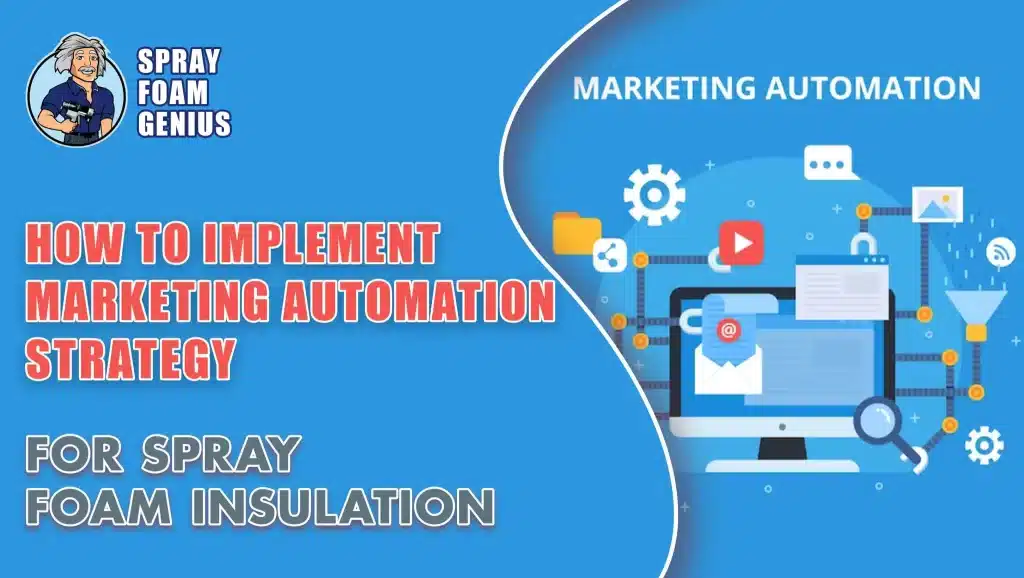
Marketing automation means using software to handle repetitive follow-up so nothing depends on someone remembering. Instead of a form submission sitting in an inbox while your crew is on a job site, the lead gets an immediate reply, a task is created for your estimator, and a follow-up schedule begins. After the job, a review request goes out automatically.
For spray foam and insulation contractors, this is not about spammy email blasts. It is about giving each high-value customer a prompt, professional and personal experience, even when you are busy. This guide explains how to plan automation, what tools exist, where AI fits, and the three workflows we would build first.
Why Automation Matters for Spray Foam Contractors
Homeowners and builders often contact more than one contractor. The company that responds quickly and follows up consistently has an advantage. Harvard Business Review's research on online sales leads found that most companies are not responding nearly fast enough (The Short Life of Online Sales Leads). That gap is your opportunity.
Automation helps with three things:
- Speed: an instant acknowledgement by email or text, day or night, so a lead does not go cold while you are in an attic.
- Consistency: every quote gets a follow-up, every completed job gets a review request, and no step is skipped when the office is busy.
- Time: routine messages and reminders are handled for you, so you and your staff can focus on estimates, calls and installs.
Automation does not replace sales staff or personal calls. It makes sure the right conversation happens at the right time.
Related reading: How to Create a Comprehensive Digital Advertising Strategy for Insulation Contractors
Start With the Basics: A Five-Step Framework
1. Define One Goal
Pick the biggest problem to solve first. Is it responding to new leads faster, following up on quotes more consistently, or collecting more reviews? A clear goal, such as "respond to every new web inquiry within minutes and follow up on every estimate," keeps the project manageable.
2. Choose Your Central Tool
You need one place for customer data, usually a customer relationship management (CRM) tool. Some contractor-focused systems have automation built in. Other setups connect a CRM to an email or text tool. The right choice depends on your budget, your team's comfort with software and how much you already use. Our guide to choosing the best CRM for insulation contractors walks through the features to compare.
3. Map the Customer Journey
Sketch the path from first contact to happy customer, and mark where automation helps:
- Awareness: someone fills out a form or calls.
- Consideration: you send an estimate.
- Decision: they sign or decline.
- Service: the job is completed.
- Advocacy: they leave a review or refer a neighbor.
4. Build One or Two Workflows First
Do not try to automate everything at once. Start with the highest-impact workflows below, test them, and expand.
5. Measure and Adjust
Automation is not set and forget. Track whether messages are opened or answered, how quickly leads are contacted, how many estimates convert, and how many reviews you collect. Adjust the wording and timing based on what you see.
Three Starter Workflows
Workflow 1: Instant Lead Response
- Trigger: someone submits your quote request form or misses a call.
- Immediately: send an email or text that confirms the request and says when you will be in touch. Only promise a time you can keep.
- At the same time: create a task in your CRM for your estimator or office to call the lead.
- Result: the lead feels heard and your sales process starts right away.
If you can only automate one thing, start here.
Workflow 2: Quote Follow-Up
- Trigger: you mark an estimate as sent.
- A few days later: send a short, friendly message asking if they have questions about the estimate, the foam type or the process.
- About a week later: share something useful, such as a relevant project example or customer review (with permission).
- Later: send a final follow-up and create a task for a personal call.
- Result: you stay in front of the customer while they decide, without being pushy.
Workflow 3: Job Completed and Review Request
- Trigger: the job is marked complete.
- The next day: send a thank-you message.
- A few days later: ask for feedback and include a direct link to your Google Business Profile reviews page. Google explains how in its tips to get more reviews.
- Result: a steadier flow of fresh, genuine reviews. Do not offer incentives for reviews or write them yourself, which breaks platform rules.
You can add others later: missed-call text back, appointment reminders, re-engaging old estimates, seasonal check-ins with past customers and referral requests.
Tool Categories to Know
Most contractors do not need a different tool for each task. Think in categories, and keep the stack as simple and connected as you can. The names are examples, not endorsements or rankings, and features and plans change often.
- CRM with built-in automation: manages leads, pipelines and follow-up in one place. Contractor-focused tools such as Jobber, Housecall Pro and JobNimbus, sales CRMs such as HubSpot, Zoho and Pipedrive, and all-in-one platforms such as GoHighLevel are common examples.
- Text and email automation: sends the instant response, follow-ups and review requests. Many CRMs include this; standalone tools can be connected with automation connectors such as Zapier.
- Call tracking and attribution: shows which ads, listings and pages produce phone calls, so you know what is worth paying for.
- Local search and listing tools: help you manage your Google Business Profile, citations and reviews.
- Ad platform automation: Google Ads and Meta Ads include automated bidding and retargeting options. Automated settings still need regular human review.
- Analytics and reporting: Google Analytics and Google Search Console show where visits and enquiries come from.
The biggest mistake is a pile of disconnected tools that do not share data. Start with one central system, add tools only when they solve a clear problem, and make sure they integrate.
Where AI Tools Fit
AI features are now built into many marketing tools, and they can speed up routine work. Useful, realistic uses include:
- Drafting: first drafts of emails, text templates, social posts and ad copy for you to edit.
- Content planning: outlines and topic ideas for blog posts and FAQs.
- Ad and email optimization: automated bidding suggestions and send-time or subject-line testing.
- Analytics: summaries that highlight trends or unusual changes in your data.
- Chat and messaging: website chat or text assistants that answer common questions and book appointments. Set clear limits, and make it easy to reach a real person.
Keep these cautions in mind:
- Review everything. AI can make factual mistakes, especially on technical topics like R-value, open-cell versus closed-cell foam or building code. Have someone who knows spray foam check anything customer-facing.
- Do not publish mass-produced thin pages. Google says generative AI can help with research and structure, but producing many pages without adding value may violate its spam policy on scaled content abuse. See Google's guidance on using generative AI content.
- Optimizing for Google's AI features is still SEO. Google says there is no separate discipline, no special files and no required markup. Clear, helpful pages remain the foundation.
- Be transparent and careful with customer data. Do not paste private customer details into tools whose data policies you have not checked.
Start with one or two AI-assisted tasks, measure whether they help, and expand from there. Train your team to use them and review results regularly, since tools and features change quickly.
Legal and Practical Cautions
Automated emails and texts are regulated. In the US, rules such as CAN-SPAM and the TCPA apply to commercial email and text messages, and in Canada CASL applies. Generally, get consent before texting, identify your business, and give people an easy way to opt out. Check the current rules for your area or ask an attorney. Keep messages honest, and avoid promising specific savings or results.
What Good Looks Like
- New leads are contacted within minutes, not hours.
- Every estimate has a scheduled follow-up.
- Review requests go out after every completed job.
- You can see which sources produce calls and booked jobs.
- Your team trusts the system and uses it every day.
- Messages still sound like your company, with the customer's name and a helpful tone.
Frequently Asked Questions
What is marketing automation for a spray foam contractor?
It is software that handles repetitive marketing and follow-up tasks, such as replying to new leads, following up on estimates and asking for reviews, so you do not rely on memory or manual work.
What should you automate first?
An instant response to new quote requests and missed calls. Speed is one of the most important parts of winning a new customer, and this workflow is simple to set up.
How much does marketing automation cost?
It depends on the tool, the number of users and features, and plans change often. Some contractor CRMs include automation, while all-in-one platforms and extra services cost more. Compare current plans and watch for extra fees for texting, call tracking or additional users.
Will automation make your business sound robotic?
Not if you write the messages well. Use the customer's name, a friendly tone and real details, and keep personal calls for the moments that matter. Automation handles routine steps so you have more time for conversations.
Do you need to be a tech expert?
No. Many contractor tools use simple builders. You do need a clear process and someone responsible for setting it up and checking it regularly.
Can AI tools run your marketing for you?
They can help with drafts, analysis and routine tasks, but they need human review. They can make mistakes and cannot replace your local knowledge, photos and real project experience.
Is automated texting allowed?
Rules apply. In the US, laws such as the TCPA and CAN-SPAM govern marketing texts and emails, and in Canada CASL applies. Get consent, identify yourself and offer an opt-out. Check current requirements with an attorney.
Get a Free Marketing Audit
If you want to see where leads are slipping through and which follow-ups would help most, we can take a look. Ask us for a free marketing audit by calling 877-840-3626 (USA) or emailing info@sprayfoamgeniusmarketing.com.